Is It Safe to Send a W-9? How to Spot a W-9 Scam and Share Yours Securely
Who can legitimately ask for your W-9, the red flags of a fake request, and the safest ways to send a form that includes your Social Security number.
- It's normal and safe to give a W-9 to a business that is paying you, like a client, a payment platform, or your bank.
- The IRS never emails, texts, or messages you asking for a W-9. A request that claims to come from the IRS is a scam.
- A real W-9 asks for your name, tax classification, address, and taxpayer ID. It never asks for bank details, passwords, PINs, or a passport number.
- Send it through a secure portal or an encrypted file, not a plain email attachment.
Hesitating before you send a W-9 is reasonable. The form asks for your Social Security number or EIN, your name, and your address, which is exactly the information identity thieves want. Scammers know it too, and fake W-9 requests are a well-worn trick.
The good news: legitimate W-9 requests follow a predictable pattern, and fake ones almost always break it. Here’s how to tell the difference, and how to send your W-9 safely when the request is real.
When a W-9 request is normal
A W-9 exists so that a business paying you can report that payment to the IRS. That means the request should come from someone who has paid you, is about to, or holds an account for you:
| Who’s asking | Why they need it | Normal? |
|---|---|---|
| A client hiring you as a freelancer or contractor | To report your pay on a 1099-NEC | Yes |
| A payment app or marketplace you sell through | To report payments on a 1099-K | Yes, usually inside the app |
| Your bank or brokerage | To report interest and dividends and avoid backup withholding | Yes, usually at account opening |
| An organization awarding you a prize or award | To report it on a 1099-MISC | Yes |
| A tenant or property manager paying you rent | To report rental payments | Yes |
| ”The IRS” | The IRS never requests W-9s from individuals | No |
| Someone you’ve never worked with | No payment relationship | Almost always no |
Businesses often ask for a W-9 before you’ve done any work, and that’s standard practice. They don’t know yet whether they’ll pay you enough to need a 1099, and having it on file keeps them from having to withhold 24% of your payments.
What a real W-9 asks for
The current IRS version is Form W-9 (Rev. March 2024). It’s a single page of fields plus instructions, and it only asks for a short list of things.
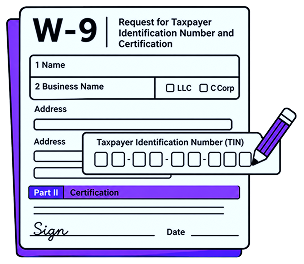
| A real W-9 asks for | A real W-9 never asks for |
|---|---|
| Your name (line 1) and business name (line 2) | Bank account or routing numbers* |
| Federal tax classification (line 3a) | Online banking or email passwords |
| Exemption codes, if any (line 4) | PINs or security codes |
| Your address | Passport or driver’s license number |
| Your SSN or EIN (Part I) | Date of birth or mother’s maiden name |
| Your signature and date (Part II) | Credit card numbers |
Check a request you received
Not sure about a specific email or message? Run it through the checklist.
Four W-9 scams to know
1. The fake IRS request. An email or letter “from the IRS” says your records are incomplete and you must submit a W-9, often through a link, or face penalties. The IRS doesn’t work this way. It doesn’t request W-9s from taxpayers, and it doesn’t initiate contact by email, text, or social media to ask for personal information.
2. The fake client or vendor onboarding. A scammer poses as a new client, or impersonates a real company you work with, and sends “onboarding documents” that include a W-9 and a request for bank details. The tell is usually a lookalike email domain or pressure to move fast.
3. The doctored form. The attachment looks like a W-9 but adds fields for bank accounts, PINs, or passport numbers. The IRS has warned about exactly this with a fake Form W-8BEN aimed at non-U.S. residents. Compare anything you receive against the real form on irs.gov.
4. The prize that needs a W-9 and a fee. You “won” something, and just need to send a W-9 plus a processing or tax fee. Legitimate prize payers may need your W-9, but they never charge you to collect a prize.
How to send a W-9 safely
Once you’ve confirmed the request is real, the channel you use is the next line of defense:
| Method | Safety | Notes |
|---|---|---|
| The payer’s secure portal or vendor onboarding system | Best | Encrypted and access-controlled. Use it whenever it’s offered |
| Encrypted email, or a password-protected PDF | Good | Share the password separately, by phone or text, never in the same email |
| Hand delivery, fax, or mail | Okay | Low tech, but no copy sits in an inbox |
| Plain email attachment | Risky | Readable by anyone who gets into either inbox, indefinitely |
| Text message or social media DM | Avoid | Easy to misdirect and hard to delete |
A few more habits help: send only the pages the payer needs, keep a record of who you sent it to and when, and fill out a fresh form for each payer instead of forwarding an old one.
When you fill out your form with W9 Helper, the W-9 is built in your browser, and you can download the PDF directly to share through whichever secure channel your payer uses.
If you already sent it to a scammer
Don’t panic, but act the same day:
- Get an IRS Identity Protection PIN (IP PIN). It’s free, and it stops anyone else from filing a tax return using your SSN.
- Freeze your credit with Equifax, Experian, and TransUnion. It’s free and blocks new accounts in your name.
- Report it at IdentityTheft.gov, the FTC’s site, which builds a personalized recovery plan.
- Forward the scam message to phishing@irs.gov, then delete it.
- Watch for IRS letters about a return you didn’t file. If one arrives, respond right away. You may need to file Form 14039, the Identity Theft Affidavit.
The bottom line
Giving a W-9 to a business that pays you is normal and expected. The risk is in who asks and how you send it. Verify requests that come out of nowhere, never hand over anything the real form doesn’t ask for, and use a secure channel. For more on the paperwork itself, see what a W-9 is, whether you need a W-9 or a W-8BEN, and what to do if a payer has started backup withholding.
Frequently asked questions
Is it safe to send a W-9 by email?
A plain email attachment is one of the riskier ways to send a W-9, because the message and file can be intercepted or sit in inboxes indefinitely. Use the payer's secure upload portal if they have one. If email is the only option, send a password-protected PDF and share the password separately, by phone or text.
Does the IRS ever ask you for a W-9?
No. A W-9 is requested by the business or financial institution that pays you, never by the IRS. The IRS doesn't initiate contact by email, text, or social media to request personal or financial information, so any W-9 request claiming to come from the IRS is a scam.
What information should never be on a W-9 request?
The real Form W-9 asks only for your name, business name, federal tax classification, exemption codes, address, taxpayer identification number, and signature. A request that also asks for bank account numbers, PINs, passwords, a passport number, your date of birth, or your mother's maiden name is not a legitimate W-9.
Can someone steal my identity with a W-9?
A W-9 contains your name, address, and Social Security number or EIN, which is enough to attempt tax-related identity theft. That's why it should only go to payers you know and trust, through a secure channel.
What should I do if I sent my W-9 to a scammer?
Act quickly. Request an Identity Protection PIN from the IRS so no one else can file a return with your SSN, place a free credit freeze with Equifax, Experian, and TransUnion, report the theft at IdentityTheft.gov, and forward the scam message to phishing@irs.gov.